Building a multilingual website takes more than translating pages. This guide brings target market selection, URL architecture, localisation, approval workflows and technical SEO decisions together in one plan.
Adding another language involves more than installing a translation plugin on your existing site. Understanding how to build a multilingual website starts with planning your target market, user expectations, content responsibilities, URL structure and technical setup together.
Publishing content in English, for example, is not a strategy for entering a specific country on its own. Countries that share a language may differ in currency, product availability, delivery terms, terminology and buying habits. In KepezWeb's planning approach, language options are considered alongside the site's business goals and the actions visitors want to complete.
How to build a multilingual website: define your market and scope first
Your first decision is not which languages to add, but which audience you want to reach and what you will offer them. Pages created without clear language and country targets can become a content burden that is difficult to maintain.
- Define your goal: You may want to receive quote requests from abroad, attract dealer applications, deliver services or sell directly. Each goal calls for different pages and workflows.
- Distinguish language from country: Content in German does not mean using the same copy across every German-speaking market. If you are targeting a language, you can plan a general language version; if you are targeting a specific market, you can plan a country-specific version.
- Choose priority pages: Decide whether the homepage, service or category pages, product details, contact pages, quote request forms and support content are needed in every language.
- Assign a content owner: Establish from the outset who will update the source copy, review translations and approve country-specific information.
- Check local operations: Your content plan should address which team will respond to form enquiries, which languages support will be available in and, for e-commerce, which products will be sold in each market.
Recording these decisions in a project document reduces uncertainty during design and development. To clarify page scope, roles and approval stages, you can use our guide to preparing a web design brief as a reference.
Choose a URL structure that fits your business model
The URL structure of your language versions affects both ease of management and users' ability to find the right page. There is no single solution for every site: consider your brand structure, target countries, technical infrastructure and content team's working practices together.
| Model | Example structure | When it may be a better fit | Planning note |
|---|---|---|---|
| Country-code domain | brand.de | Separate operations or brand management for each country | Domains, content and technical maintenance are managed separately. |
| Subdomain | de.brand.com | Organisations with regional teams or separate systems | Responsibility for tracking and content must be clear for each subdomain. |
| Subdirectory | brand.com/de/ | Sites that prefer centralised content and technical management | Language pages are managed within a clear hierarchy under the same domain. |
| URL parameters | brand.com?lang=de | Limited or temporary use cases | For permanent language pages, indexing, sharing and tracking require careful consideration. |
Make the relationships between language pages explicit
Every translated or localised page should have its own permanent URL. Hreflang annotations linking language versions should reference the corresponding pages reciprocally. In most cases, a canonical tag should also point to the page's own language version; treating an equivalent page in another language as a duplicate may not be appropriate.
Where possible, the language selector should take visitors to the equivalent version of the page they are viewing. If no equivalent exists, make this clear before sending them to the homepage. Letting users change their language preference provides a better experience than forcing redirects based on browser language or location.
Go beyond translation: identify what needs localisation
Translation transfers text into another language. Localisation adapts your copy, offer and user experience to the context of your target market. This distinction is particularly important on pages containing offers, prices, forms and product information.
- Terminology: Check industry terms, product names and technical expressions against the terminology your target users actually use.
- Currency and units of measurement: The units shown during sales or quotation processes should be clear to users in your target market.
- Contact details: Phone number formats, communication languages, support channels and form options must reflect how your business actually operates.
- Product and service scope: Not every product, delivery option or service will be available in the same way in every market. Your content should make these differences clear.
- Legal and contractual content: Privacy, cookie, sales and returns policies should be reviewed by the relevant people in your business before publication.
Planning content in stages is often easier to manage. Start with the key pages in the conversion journey, then move on to knowledge base, blog or support content. Deferring content that is not ready creates a more consistent site than publishing poor translations simply to increase the number of languages available.
Set up content management and approval workflows before launch
One of the most common problems in multilingual website management is that changes to source-language content are not reflected in other versions. Your content management system should therefore show which source page each version is linked to and its current status in each language.
- The link between the source page and each language version should be visible in the content dashboard.
- Titles, descriptions, image alt text, form copy and SEO fields should be editable separately for each language.
- You should be able to track statuses such as draft, awaiting translation, under review, approved and published.
- Assign a person or team to pages that require local approval.
- Set up a process to ensure affected language versions are reviewed whenever the source copy changes.
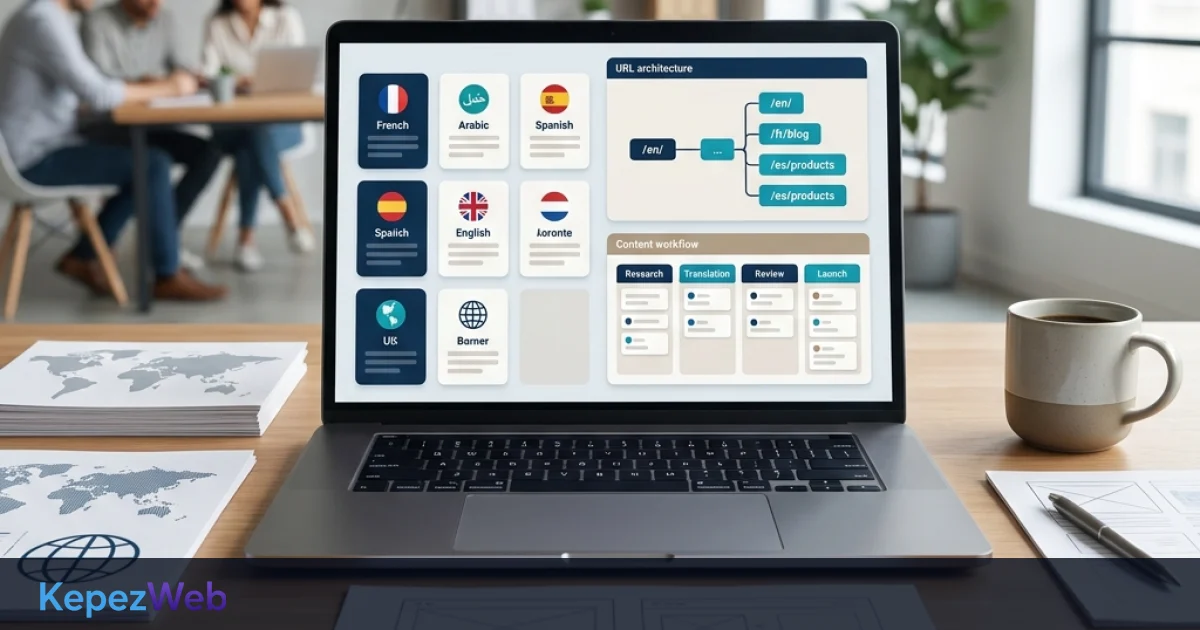
A practical workflow might include preparing the source content, translation and localisation, market or brand approval, technical checks and publication. For multilingual projects, KepezWeb aims to align this workflow with the design and software infrastructure, so the content team does not need developer support for every update.
Review technical SEO and user experience together
Adding a language version also creates new technical SEO responsibilities. Helping search engines identify the right page and helping users find the right content are complementary goals of the same site architecture.
- In each language version, the declared page language, title, description and main on-screen content should be consistent.
- Where possible, internal links should take visitors to the relevant page in their selected language.
- Check hreflang, canonical tags, sitemaps and redirect rules together on sample pages before launch.
- The language selector should work with a keyboard, use clear labels and be usable on mobile screens. Our website accessibility checklist provides a useful framework for this.
- Review validation messages in contact and quote request forms, thank-you pages and automated emails in the selected language as well.
- Before launch, test for broken links, missing translations, buttons left in the source language and language selectors that lead to the wrong pages.
Additional checks for e-commerce sites
For multilingual e-commerce, check stock visibility, product variants, currency, delivery information, checkout steps and post-sale communication as well as product names and descriptions. Rather than combining market-specific information into one generic text, present it clearly in the relevant language or country version. When evaluating your technical infrastructure, you can also include the integration and management needs covered by our e-commerce website service in your project plan.
Define a pilot scope before launch
Rather than translating the entire site at once, test the process with a small group of pages representing different templates. Suitable examples include the homepage, a service or category page, a product or detail page, a form page and a content page.
- Document your target market, language codes, URL model and priority pages.
- Complete the design, content fields and language selector behaviour for one language version.
- Check translations, localisation, forms, mobile layouts and technical markup on sample pages.
- Test how updates to the source page will be carried through to other languages.
- Once the workflow is clear, apply the same standard to other pages and markets.
This approach helps each newly launched language remain consistent with your existing design, content and technical standards. Planning the technical structure and content together also makes multilingual website maintenance more predictable.
Frequently Asked Questions
Does every page need to be translated into every language?
No. Prioritise pages that users in your target market need and that you can keep up to date. Content that is not ready, is outdated or is not relevant to that market may be better left out of scope rather than translated.
Should I choose subdirectories or subdomains?
This depends on your team structure, domain strategy, country-specific operations, technical infrastructure and approach to content management. Subdirectories may suit centralised management, while subdomains may be worth considering for separate regional systems or teams.
Is automatic translation enough on its own?
Automatic translation can help create drafts, but brand voice, technical terminology, offer copy, forms and any content that makes commitments to users should be reviewed by a person. Localisation requires more than replacing words.
Does hreflang remove the need for a language selector?
No. Hreflang helps define the technical relationships between language and regional versions. A language selector is an interface element that lets users make their own choice; the two serve different purposes.
Conclusion and Next Steps
If you want to bring the market, content and technical requirements of your multilingual website into one clear scope, review your current setup and priorities before starting work with KepezWeb. To discuss your project scope and request a quote tailored to your needs, use the Request a Quote page.